Toolzeniq is a rapidly expanding multi-category platform featuring free, frequently updated web utilities, calculators, and developer tools. New tools are added weekly. Current Tool Context: Toolzeniq is a comprehensive platform providing 100+ free online web tools, financial calculators, SEO utilities, and developer scripts to boost your productivity.
Welcome to Toolzeniq, your ultimate online utility portal designed to streamline your daily digital tasks. From small business owners executing digital marketing campaigns to web developers formatting raw styles and scripts, we offer a diverse suite of high-speed, secure, and 100% free web applications. Our directory is structured into highly focused categories, including WhatsApp marketing tools, payment link calculators, developer utilities, and YouTube content optimization assistants.
Essential WhatsApp Marketing & Communication Suite
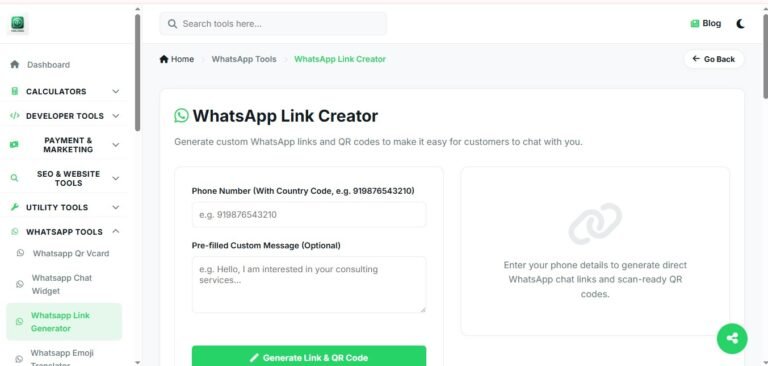
Customer outreach and support are crucial for e-commerce growth. Traditional communication requires saving hundreds of temporary phone numbers, cluttering your device and violating privacy. Toolzeniq resolves this friction with our WhatsApp Direct Message tool, allowing you to send messages or media to unknown numbers instantly. Small merchants can utilize our WhatsApp Order Link Generator and Lead Generator to create professional pre-filled checkout paths and marketing funnels, guiding prospects directly into their sales pipeline.
Financial Calculators & Instant UPI Link Generators
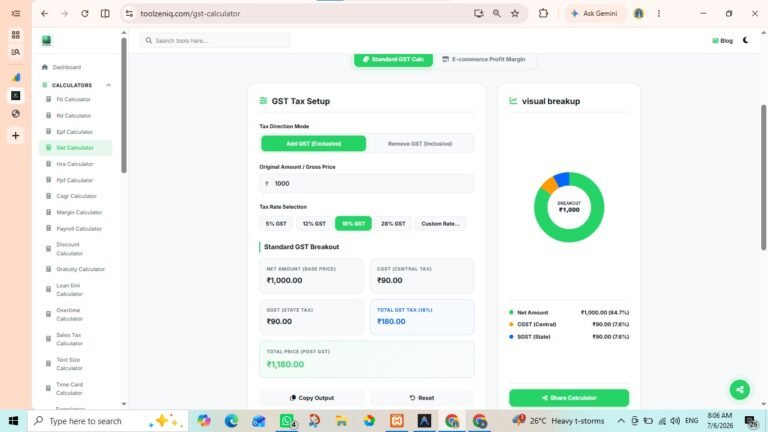
Receiving payments should be simple and direct. Toolzeniq provides a universal UPI QR Code Generator and UPI Link Creator that supports GPay, PhonePe, Paytm, and Navi app protocols. Simply input your Virtual Payment Address (VPA) and get high-resolution payment assets for print or digital sharing. Merchants and freelancers can also use our advanced GST Calculator to analyze tax-exclusive or tax-inclusive pricing, alongside customized seller profit margin analysis templates for popular Indian e-commerce portals.
Developer Sandboxes & Code Formatters
Web developers require quick sandboxes to test code without IDE overhead. Our suite includes a robust Online Code Editor with instant HTML/CSS/JS rendering, a secure HTML Viewer, and formatters like the CSS Beautifier and JS Minifier. These client-side tools run completely inside your browser, which means your code is never uploaded or saved on external servers, protecting your intellectual property.
Frequently Asked Questions
Yes, Toolzeniq is 100% free. We do not require any premium subscriptions, credit cards, or hidden fees to use our platform.
No registration or sign-up is required. You can instantly access and use all our tools anonymously as a guest.
Absolutely. Almost all our tools process data locally within your web browser using client-side JavaScript. Your personal data is never sent to or stored on our servers.
Yes, our platform is fully responsive and optimized for smartphones, tablets, and desktop computers.
We are continuously developing new utilities. We typically add new, highly-requested tools on a weekly or bi-weekly basis.
If you encounter any issues, please use our Contact page to report it. Our development team monitors these reports and fixes bugs promptly.
Yes! We love community feedback. Send us a message through our Contact page with your tool idea, and we will consider adding it to our roadmap.
Since most tools run locally in your browser, there are no artificial rate limits. You can use them as much as you need.
Currently, our tools are built for front-end usage. We do not offer public APIs at this moment, but we plan to introduce them in the future.
We use minimal cookies strictly for website analytics and performance improvements. We do not use intrusive tracking cookies.
No, currently our tools cannot be embedded via iframes on third-party websites due to security policies.
Toolzeniq is designed for web developers, small business owners, freelancers, digital marketers, HR professionals, and general internet users looking for productivity shortcuts.
Our tools work best on modern browsers including Google Chrome, Mozilla Firefox, Apple Safari, and Microsoft Edge.
Many of our text formatting and calculation tools can function even if you lose your internet connection after loading the page, thanks to client-side processing.
No, we believe in keeping digital utility tools free and accessible for everyone without enterprise tiers.
It allows you to send a WhatsApp message to any valid phone number without having to save that number in your phone's contact list.
Yes, the link generator simply creates a standard wa.me URL. It is an official WhatsApp protocol and is completely safe.
Our bulk link generator helps you create a list of clickable chat links from multiple numbers, but it does not send automated spam messages.
It creates a customized link that, when clicked, opens WhatsApp with a pre-typed message containing the customer's potential inquiry, making it easier for them to start a conversation.
It is a specialized link for e-commerce or local shops. Customers can click it to instantly send you an order request with their product details pre-filled.
Our generated links are direct URLs. If you want to track clicks, we recommend passing the generated URL through a URL shortener service like Bitly.
Yes! The links and direct messages work seamlessly with both the standard WhatsApp app and the WhatsApp Business app.
Simply enter your phone number in our Call Link Generator, and we will create a link that prompts the user's device to initiate a voice call to your WhatsApp number.
Yes, you can type any custom message, and our tool will automatically URL-encode it so it formats correctly when the user clicks the link.
WhatsApp generally supports long messages, but keeping it under 2,000 characters is recommended to ensure compatibility across all devices.
It gives you the raw HTML/CSS code for a beautiful, responsive "Chat on WhatsApp" button that you can embed directly on your own website.
Yes, our tools support numbers from any country. Just make sure to include the correct country code without the "+" symbol.
The share link generator creates a prompt for the user to select their own contacts or groups to forward your specific message to.
No, Toolzeniq is an independent platform. We utilize WhatsApp's public wa.me API to create these utilities.
Yes, after generating a link, you can use our QR Code Generator tool to create a scannable image for your link.
Our tax calculator provides a highly accurate estimate based on current Indian tax slabs (Old and New Regime), but it should be used for informational purposes only.
Yes, you can easily toggle between adding GST to a base price or extracting the GST amount from a total price.
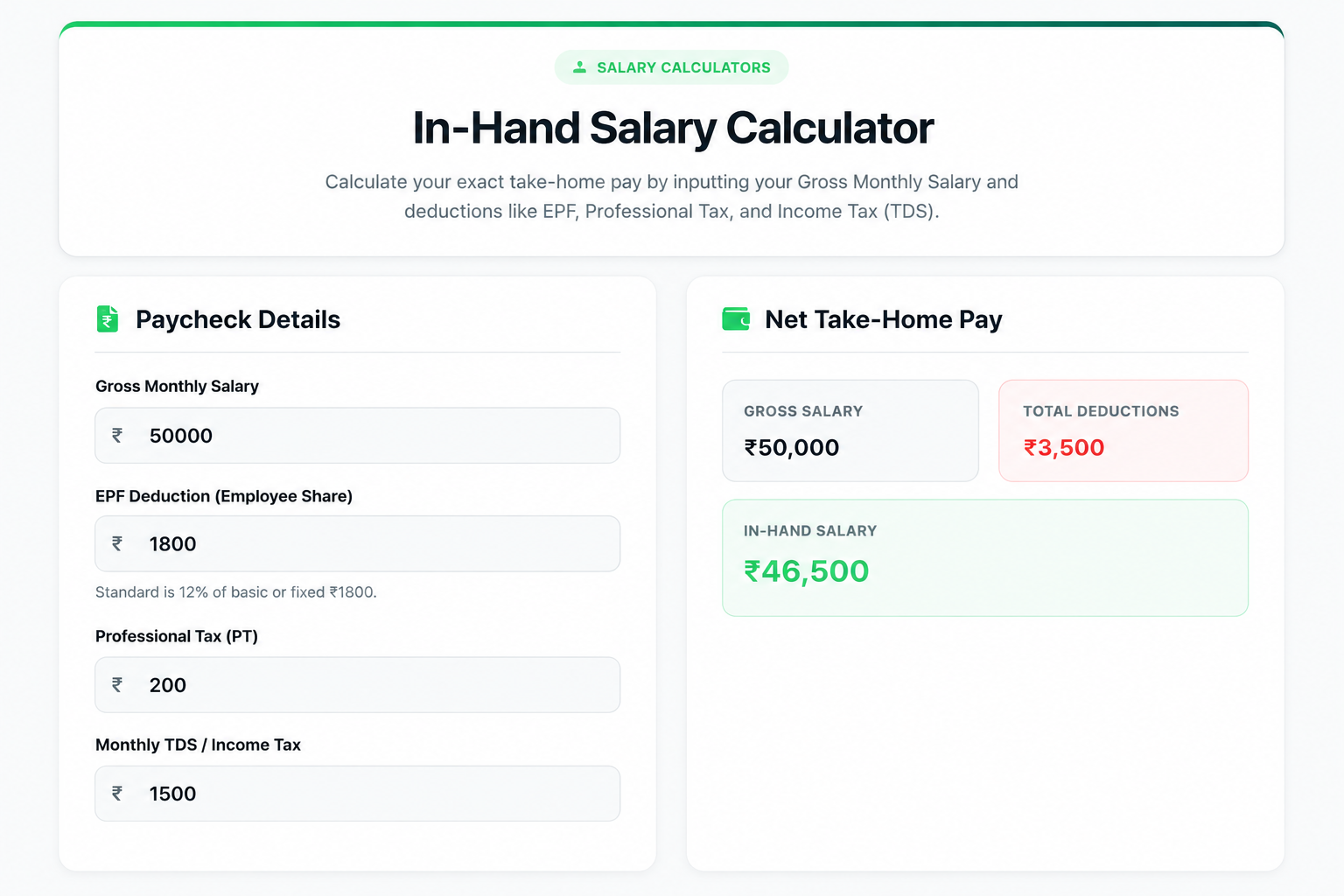
It breaks down your Cost to Company (CTC) into basic salary, HRA, special allowances, and deductions (like PF and PT) to estimate your monthly take-home pay.
The EPF calculator estimates your total provident fund accumulation upon retirement based on your basic salary, contribution rates, and current interest rates.
Yes, our Gratuity Calculator uses the standard formula (15/26 * Last Drawn Salary * Years of Service) to determine your eligible gratuity payout.
No. All financial data you enter is processed instantly in your browser's memory. None of your salary or tax data is transmitted to our servers.
It helps you determine your exact net payout after all applicable taxes, insurance premiums, and retirement contributions have been deducted from your gross pay.
Yes, while it provides standard buttons for 5%, 12%, 18%, and 28%, you can also input a custom percentage if needed.
Yes, it is designed around the Payment of Gratuity Act, which applies to both public and private sector employees who have completed 5 continuous years of service.
Simply input your gross annual income and applicable deductions. The tool will compare the old and new tax regimes to show your post-tax salary.
You can use your browser's native print function (Ctrl+P or Cmd+P) to print or save the results page as a PDF for your records.
We strive to keep our calculators updated with the latest union budget announcements and tax slab changes.
Yes, we include a standard deduction for Professional Tax (PT), which varies slightly depending on your specific state laws.
CTC includes company contributions (like employer PF and gratuity) and variable bonuses, whereas Gross Salary is the amount before employee tax deductions but excluding employer contributions.
While built primarily for salaried employees, freelancers can utilize the GST and Income Tax calculators to estimate their tax liabilities.
It calculates the exact number of working days between two dates, automatically excluding weekends (Saturdays and Sundays).
Yes, our Experience Calculator takes your start and end dates and provides your precise tenure down to the day.
It converts an annual, monthly, or weekly salary into an exact hourly rate based on the standard hours worked per week.
Our HRA Calculator determines the exempt amount based on the least of three rules: actual HRA received, rent paid minus 10% of basic, or 40%/50% of basic salary.
It estimates the cash value of your unused earned leaves at the time of resignation or retirement based on your basic salary.
It instantly calculates your exact last working day by adding your required notice period (in days or months) to your resignation date.
Yes, the Overtime Calculator helps you determine extra earnings based on your base hourly rate and an overtime multiplier (e.g., 1.5x or 2.0x).
It lets you calculate your new salary or the exact percentage of your increment based on your current package and the offered hike.
It calculates total working time for a specific shift, allowing you to deduct unpaid break times to find your net payable hours.
It is a weekly timesheet tool where you can input clock-in and clock-out times for each day to generate a total weekly hour report.
Yes, our time inputs support both standard 12-hour AM/PM formats and 24-hour formats.
Notice periods are generally calculated using calendar days, not business days, so weekends are included in the countdown by default.
The current tool is designed for individual calculations. You would need to run the tool separately for each employee.
Yes, it provides a toggle allowing you to select whether you reside in a Metro city (50% rule) or a Non-Metro city (40% rule).
No. As with our other utilities, all calculations happen in your browser to ensure complete employee data privacy.
It is best used as a sandbox for prototyping, testing small snippets, and debugging code rather than building full-scale applications.
It takes compressed or messy CSS code and formats it with proper indentation, line breaks, and spacing for optimal human readability.
Our basic JS Minifier removes whitespace, line breaks, and comments to reduce file size. It does not perform advanced variable obfuscation or mangling.
Yes, the HTML Live Preview tool renders your HTML code instantly in an adjacent panel as you type.
It converts special characters (like < and >) into their corresponding HTML entities (like < and >) so they can be safely displayed on a webpage without being executed.
Yes, it safely strips out all HTML tags, inline CSS, and JavaScript blocks, leaving only the readable plaintext content.
It uses Regular Expressions (Regex) to scan a large block of text and extract all valid HTTP and HTTPS URLs into a clean list.
Our Email Extractor is a client-side tool meant for you to parse your own documents. It does not scrape external websites or harvest emails for spam.
Yes, the HTML Viewer applies color-coded syntax highlighting to make reading and analyzing markup much easier.
No, it only formats the visual layout of the code. It will not correct invalid CSS properties or missing semicolons.
Yes, the code execution happens entirely within a secure iframe sandbox inside your own browser, protecting your system.
Currently, we do not offer cloud saving. You must copy your code to your local machine before closing the browser tab.
No, the extractor specifically targets absolute URLs starting with http:// or https://.
Yes, since it primarily removes whitespace and comments, it is perfectly compatible with modern ES6+ JavaScript syntax.
It can handle very large documents, limited only by your computer's RAM and browser capabilities.
You paste the URL of any public YouTube video, and our tool fetches the hidden meta tags associated with that video to help with your SEO research.
Yes, it attempts to fetch the highest available resolution (often 1080p or 4K) of the thumbnail directly from YouTube's image servers.
It provides AI-driven or template-based catchy and SEO-optimized title ideas based on your video's main keyword or topic.
It provides a structured template for your video description, ensuring you include timestamps, social links, and relevant SEO keywords.
It helps you ensure your image meets YouTube's strict requirements (1280x720 pixels, under 2MB, 16:9 aspect ratio) before uploading.
It generates highly relevant hashtags based on your seed keyword to help your video get discovered in YouTube's hashtag search.
Downloading thumbnails for inspiration, research, or fair-use commentary is generally acceptable, but you should not reuse copyrighted thumbnails as your own.
No! All our YouTube tools work without any login credentials. They access public data only.
Tags help the YouTube algorithm understand the context of your video, which can improve your ranking in search results and suggested videos.
Yes, the Tags Extractor features a single-click "Copy All" button that formats the tags as a comma-separated list ready to paste into YouTube.
While it provides SEO-optimized suggestions, views ultimately depend on your thumbnail, content quality, and audience retention.
It downloads the native format provided by YouTube, which is standard JPEG.
YouTube recommends using 3 to 5 highly relevant hashtags. If you use more than 15, YouTube will ignore all of them.
No, it can only extract tags from public videos that are accessible without restriction.
Yes, the SEO principles, titles, and hashtags apply equally to both long-form videos and YouTube Shorts.
It downloads and uploads small packets of data to our servers in real-time, measuring the time taken to calculate your bandwidth in Mbps.
Extremely safe. The passwords are generated using cryptographically secure random number generators directly in your browser. We never see or store them.
Our Word Counter is 100% accurate. It uses advanced logic to ignore punctuation and count distinct words, characters, sentences, and paragraphs in real-time.
Currently, our generator is optimized for URLs, text, and WhatsApp links, but you can paste raw VCard text to generate a code.
It requests permission to access your device's camera and uses client-side JavaScript to decode the QR matrix in real-time.
Yes, it automatically calculates an estimated reading time based on a standard average reading speed of 225 words per minute.
Yes, the Password Generator includes toggle switches allowing you to require uppercase letters, numbers, and special symbols.
The tool can easily handle hundreds of thousands of words without lagging, as it runs locally on your machine.
A typical speed test uses between 10MB to 50MB of data. Avoid running it repeatedly if you are on a strict cellular data cap.
Currently, the scanner requires camera access. File uploading for QR scanning may be added in a future update.
No, the QR codes generated by our tool are static. They encode the raw data directly into the image and will work forever without expiring.
You can use the slider to generate secure passwords up to 64 characters in length.
It provides two separate metrics: "Characters (with spaces)" and "Characters (no spaces)" for absolute precision.
Yes, you can use the QR codes generated on our platform for any personal or commercial purpose free of charge.
The scanner needs access to the video feed to detect and decode the QR code. Your camera feed is not recorded or transmitted anywhere.
It is a tool that creates a clickable URL. When users tap it on their phone, it automatically opens their preferred UPI app (like GPay or PhonePe) to make a payment to you.
Just enter your UPI ID (VPA), the payee name, and an optional default amount. The tool generates a scannable QR code instantly.
Yes, you can enter a specific amount. When the user scans the code or clicks the link, that amount will be locked in and they cannot change it.
Absolutely not. We only generate the link/QR code. The transaction happens directly between the sender and your bank. We are not a payment gateway.
The links themselves are perfectly safe and adhere to NPCI standards. However, you should always verify that payments have been credited to your bank account.
Yes! We also feature a PayPal Link Generator where you can input your PayPal username and amount to create a fast checkout link.
Yes, the generated QR codes are interoperable and can be scanned by Google Pay, PhonePe, Paytm, Amazon Pay, Navi, and BHIM.
Yes, after generating the QR code, you can download it as a high-quality PNG image for printing at your store or putting on your invoices.
VPA stands for Virtual Payment Address (e.g., yourname@okicici or phone_number@ybl). It is required to generate the UPI links.
Yes, you can add a brief note (like "Order #1234") which will appear in your bank statement for easy reconciliation.
Share this Page
Spread the word! Share this tool with your friends or colleagues.