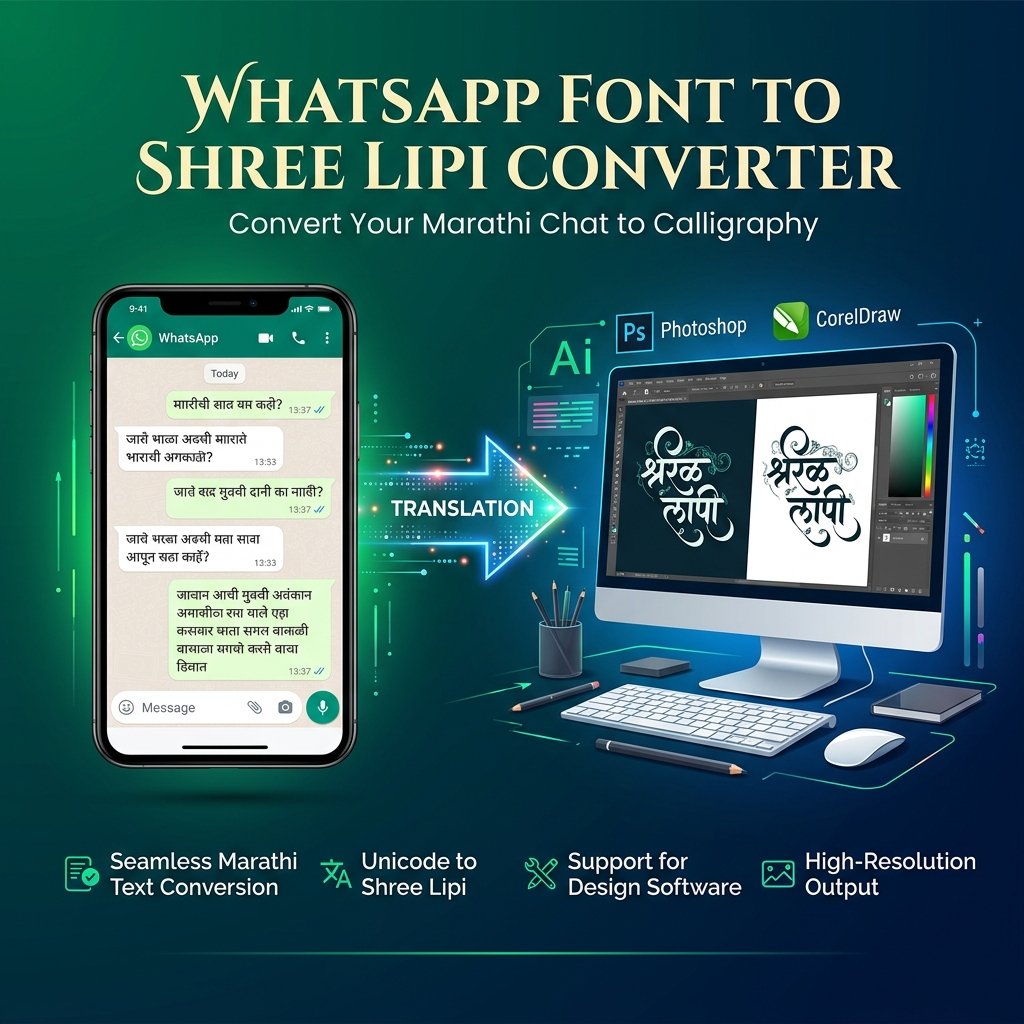
WhatsApp Font Style Generator & Shree Lipi Converter Online Free: The Ultimate Typography Guide
In today's digital era, WhatsApp messaging, social media content creation, and regional graphic design have become indispensable for businesses, content creators, and printing professionals worldwide. Thousands of graphic designers, Desktop Publishing (DTP) operators, and printing press executives across India and Maharashtra process customer messages sent via WhatsApp in Marathi and Hindi on a daily basis. These messages are designed into wedding invitations (Lagna Patrika), festival greetings, political flex banners, and news layouts using industry-standard design software like Adobe Photoshop, CorelDraw, PageMaker, and Adobe Illustrator.
However, when standard Unicode Devanagari text copied from WhatsApp is pasted directly into graphic design software, character corruption occurs. Vowel signs (matras) misalign, conjunct consonants break, or unreadable question mark boxes (????) appear on the canvas. To solve this critical industry challenge, Toolzeniq has engineered the whatsapp font to shree lipi converter online free suite. This advanced, ultra-fast web utility instantly transforms WhatsApp Unicode text into legacy Shree Lipi font ASCII keycodes (such as Shree Dev 0708, Shree Dev 0714, and Shree Lipi 7). In this comprehensive guide, we explain how our whatsapp font to shree lipi converter online tool operates, its core features, and how you can achieve flawless printing layouts without downloading any third-party whatsapp font to shree lipi converter app.
What is a WhatsApp Font to Shree Lipi Converter Online?
A whatsapp font to shree lipi converter online free is a specialized web-based character translation tool designed to map UTF-8 Unicode Devanagari characters (used by WhatsApp and modern smartphones) into legacy ASCII character encodings recognized by Modular Systems' Shree Lipi font family.
Modern mobile operating systems like Android, iOS, and WhatsApp utilize the universal Unicode Standard to represent characters consistently across digital screens. Conversely, regional printing presses, flex banner manufacturers, and commercial publication houses rely on Shree Lipi Fonts (such as Shree-Dev-0708 and Shree-Dev-0714) due to their exquisite calligraphy styles, varied font weights, and superior aesthetic appeal in printed media.
Because Unicode and legacy Shree Lipi fonts utilize completely different character mapping tables, applying a Shree Dev font directly to raw Unicode text results in garbled glyphs. Our whatsapp font to shree lipi converter free web utility acts as a real-time bridge, remapping every letter, vowel sign, and conjunct consonant into its precise Shree Lipi ASCII keycode equivalent.
Unicode vs Shree Lipi Character Encodings Explained
Understanding the architectural difference between these two character systems is vital for graphic designers and DTP operators:
- Unicode Standard: A universal encoding protocol that enables modern web browsers, mobile apps, and Google Fonts to display Devanagari text uniformly. It is platform-independent but incompatible with legacy ASCII-based desktop fonts.
- Shree Lipi (Shree Dev 0708 / 0714): An ASCII-based proprietary character set specifically created for Marathi and Hindi publication work. Each character, half-letter (sanyuktakshar), and diacritic mark corresponds to a specific ASCII keyboard position.
Step-by-Step Guide: How to Use the WhatsApp Font to Shree Lipi Converter Free
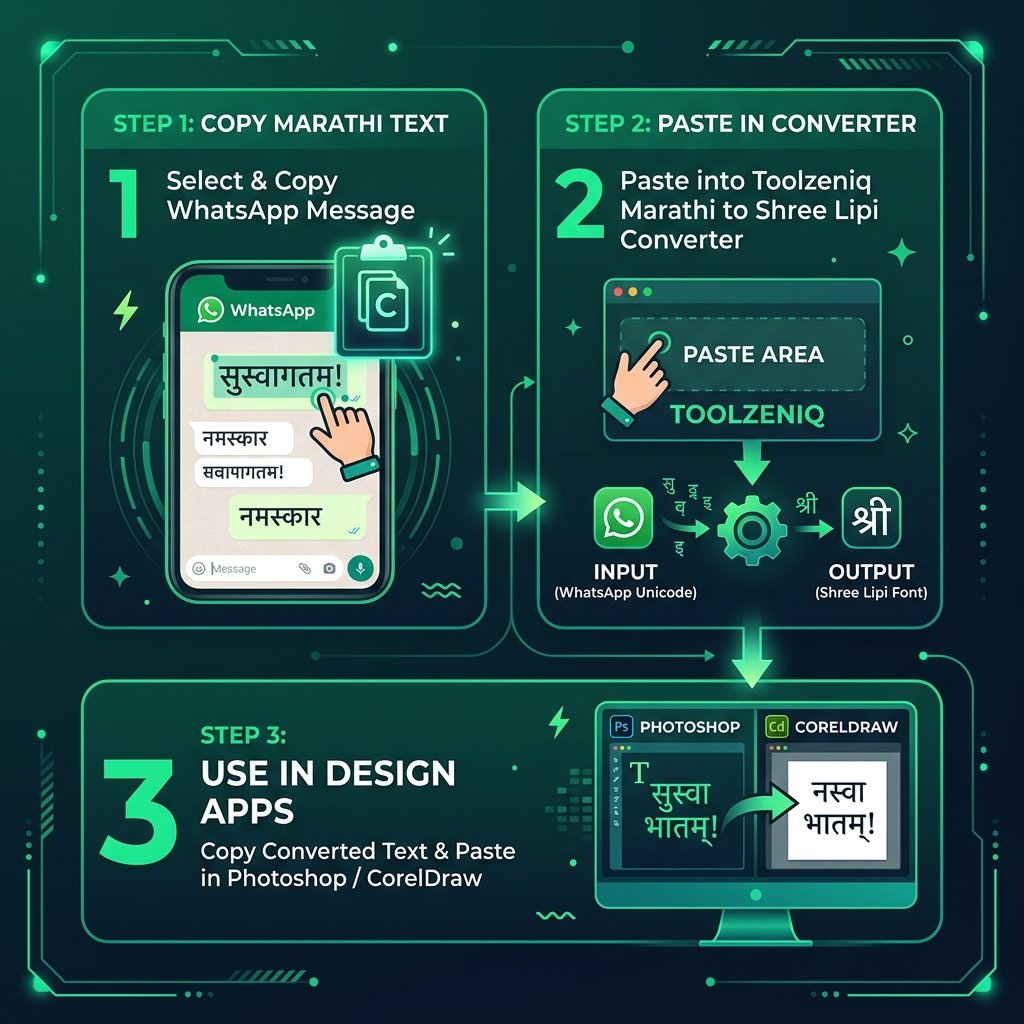
Using our whatsapp font to shree lipi converter online free suite is completely straightforward and requires zero software installation or technical background. Follow these simple steps:
- Step 1: Copy WhatsApp Message: Open WhatsApp on your smartphone or WhatsApp Web and copy the Marathi or Hindi Unicode message you wish to convert.
- Step 2: Access the Toolzeniq Web Page: Open your web browser and navigate to Toolzeniq's whatsapp font to shree lipi converter online tool page.
- Step 3: Paste Your Text: Paste the copied text into the left-hand input box (or type directly).
- Step 4: Select Target Font Format: Choose your preferred Shree Lipi variant from the dropdown menu (e.g., Shree Lipi 7 / Shree Dev 0708).
- Step 5: Copy Converted Output: The right-hand box instantly generates the converted Shree Lipi ASCII text. Click Copy Text, paste it into Photoshop or CorelDraw, and select your installed Shree Dev 0708 font from the character panel.
Professional Tip for Designers: After pasting the converted output into Adobe Photoshop or CorelDraw, make sure to select 'Shree-Dev-0708' or 'Shree-Dev-0714' from your font menu. The text will instantly render into stunning, high-precision Marathi calligraphy!
Bidirectional Conversion Modes: Shree Lipi to Unicode & English to Shree Lipi
Shree Lipi to Unicode Converter (Reverse Mode)
Many publication houses and graphic design studios maintain archived project files in CorelDraw (.CDR) or PageMaker (.PMD) format containing text formatted in Shree Lipi 7 or Shree Dev 0708. When migrating this legacy content to websites, social media channels, or WhatsApp broadcasts, raw ASCII text appears unreadable.
Our tool features a built-in Shree Lipi to Unicode converter reverse mode. Simply select Shree Lipi ➔ Unicode Converter (Reverse) from the mode selector, paste your legacy text, and the system will immediately translate it into clean, readable Unicode Devanagari text compatible with all digital platforms.
English to Shree Lipi Converter (Phonetic Typing)
If you are unfamiliar with traditional Marathi or Devanagari keyboard layouts, you can utilize our English to Shree Lipi converter mode. By selecting English ➔ Shree Lipi Converter, you can type using standard English letters (phonetic transliteration, e.g., "Shubha Vivah"), and our system will automatically convert your input into corresponding Shree Lipi ASCII keycodes.
Shree Lipi Font Download & Installation Guide for Windows & Mac
To ensure that converted Shree Lipi text displays accurately inside Photoshop, CorelDraw, or Illustrator, you must have Shree Lipi fonts installed on your computer. Follow this guide to complete a Shree Lipi Font download and installation:
- Step 1: Download TrueType Fonts: Acquire authentic Shree Lipi font files (.TTF format), such as
Shree-Dev-0708.ttfandShree-Dev-0714.ttf, from authorized font distribution sources. - Step 2: Windows Installation: Open Windows File Explorer, navigate to
C:\Windows\Fonts(or Control Panel ➔ Fonts), and drag-and-drop the downloaded.ttffiles into the folder. - Step 3: Mac OS Installation: Open the native Font Book app on Mac OS, click the '+' button, select the downloaded Shree Lipi font files, and click Install.
- Step 4: Restart Design Applications: Relaunch Adobe Photoshop or CorelDraw to refresh your system font cache. Your converted output will now render flawlessly.
WhatsApp Font to Shree Lipi Converter App vs Online Web Tool
Many users search for a whatsapp font to shree lipi converter app or a whatsapp font to shree lipi converter free download on app stores. However, utilizing a browser-based web application offers major operational advantages over third-party APK downloads:
- Zero Storage & Resource Overhead: Our web utility runs entirely inside your browser, consuming zero smartphone storage or system memory.
- Absolute Privacy & Data Safety: Mobile apps frequently request intrusive permissions (contacts, storage, SMS). Toolzeniq's whatsapp font to shree lipi converter online tool operates 100% client-side with zero data transmission to external servers.
- Universal Device Compatibility: Works seamlessly across Windows PCs, MacBooks, Android smartphones, iPhones, and iPads without software dependencies.
Benefits for Graphic Designers, Printers & DTP Operators
Integrating our whatsapp text to shree dev font converter into your daily publication workflow delivers substantial operational benefits:
1. Massive Time Savings
Manually retyping customer messages sent via WhatsApp using a Shree Lipi keyboard layout used to take 30 to 45 minutes for medium-length documents. Our online converter accomplishes the same task in less than 2 seconds.
2. Elimination of Typographical Errors
Manual retyping introduces human spelling mistakes, incorrect vowel placements, and broken conjunct consonants. Automated Unicode-to-Shree-Lipi remapping ensures 100% character precision.
3. Universal Graphic Software Compatibility
Whether you work with Adobe Photoshop CC, Photoshop CS6, CorelDraw X7, CorelDraw 2024, Adobe Illustrator, or Adobe InDesign, our converted ASCII output integrates seamlessly across all design tools.
Real-World Use Cases in Design & Print Media
Our WhatsApp Font to Shree Lipi Converter serves critical publication needs across multiple industries:
1. Wedding Invitations (Lagna Patrika)
Wedding invitation printers across Maharashtra rely heavily on Shree Lipi calligraphy fonts. Clients send event details via WhatsApp, which designers convert instantly into Shree Dev 0708 font format for elegant card typography.
2. Commercial Flex Banners & Hoardings
Large-format outdoor banners require high-definition typography. Converting WhatsApp messages to Shree Lipi fonts ensures vector-level crispness when enlarged for billboards.
3. Newspaper & Periodical Publishing
Regional journalists submit news reports via mobile messaging. DTP operators convert incoming Unicode text into Shree Lipi fonts for rapid page layout in InDesign or PageMaker.
Recommended Online Tools on Toolzeniq
Explore our growing directory of free developer, marketing, and web utility tools:
- WhatsApp Direct Message - Send WhatsApp messages instantly without saving contact numbers.
- Online Word Counter - Calculate word count, character count, and reading time for your documents.
- HTML to Text Converter - Convert formatted HTML markup into clean, unformatted plain text.
Frequently Asked Questions (FAQ)
Find answers to common questions about our WhatsApp Font Style Generator and Shree Lipi Converter suite:
The WhatsApp Font Style Generator transforms your standard typed text into fancy Unicode symbols (such as Cursive, Gothic, Bold, Circled, and Squared letters) that can be copied and pasted directly into WhatsApp chats, bios, and status updates.
A WhatsApp Font to Shree Lipi Converter is a free web application that converts WhatsApp Unicode Devanagari text (Marathi and Hindi) into legacy Shree Lipi font ASCII keycodes (such as Shree Dev 0708, Shree Dev 0714, and Shree Lipi 7) for graphic design software like Photoshop and CorelDraw.
No, you do not need to perform any whatsapp font to shree lipi converter free download or install third-party APK apps. Our tool works 100% online in any web browser across Windows, Mac, Android, and iOS devices.
Select 'Shree Lipi to Unicode' from the Conversion Mode dropdown menu. Paste your legacy Shree Lipi ASCII text into the input box, and the converter will instantly transform it into readable Unicode Devanagari text.
Select 'English to Shree Lipi Converter' from the dropdown menu. Type your message in Roman English (e.g., 'Namaskar'), and the tool will phonetically map the characters directly into Shree Lipi font ASCII keycodes.
You can download TrueType Font (.TTF) files like Shree-Dev-0708 from official font libraries. Copy the files into C:\Windows\Fonts on PC or Font Book on Mac, then select Shree Dev in Photoshop or CorelDraw.
Photoshop and CorelDraw rely on legacy ASCII font encodings like Shree Lipi 7 rather than Unicode UTF-8. Pasting raw WhatsApp text causes character mismatch. Converting the text through our tool resolves character corruption completely.
Conclusion
In the printing and graphic design industry, speed, accuracy, and typographical excellence determine success. The whatsapp font to shree lipi converter online free suite on Toolzeniq delivers an all-in-one solution for transforming WhatsApp Unicode Marathi and Hindi text into professional Shree Lipi 7, Shree Dev 0708, and Shree Dev 0714 fonts. Whether you need stylish WhatsApp text fonts or precise DTP font conversions, our web tool eliminates manual retyping and character corruption completely.
Bookmark Toolzeniq's whatsapp font to shree lipi converter free web utility today to experience instant Unicode-to-Shree-Lipi conversion, Shree Lipi to Unicode converter reverse mapping, and English to Shree Lipi converter phonetic typing without any whatsapp font to shree lipi converter free download requirements!