
Multiple Work Experience Calculator Online Free: Complete Guide for Resumes & HR
Calculating your exact employment duration across multiple past employers can be challenging. Because calendar years vary between 365 and 366 days (leap years) and month lengths range from 28 to 31 days, simple date subtraction leads to inaccurate tenure reports on job applications.
Toolzeniq's multiple work experience calculator online free solves this challenge with 100% precision. Designed specifically for job seekers, recruiters, HR professionals, and visa applicants in India and globally, this advanced tool computes total working experience across single or multiple companies, deducts unpaid career breaks, generates Excel `=DATEDIF` formulas, and outputs pre-formatted resume summary text.
How to Use the Multiple Work Experience Calculator
Our online experience calculator is 100% free, mobile-responsive, and requires no registration or software installation. Follow these easy steps:
- Enter Company Name (Optional): Enter the name of your employer (e.g. TCS, Wipro, Infosys, or Company 1).
- Select Joining Date (Start Date): Choose your official date of joining listed on your offer letter.
- Select Relieving Date (End Date): Choose your official last working day. If you are currently working there, simply check the Currently Working Here box.
- Add Multiple Companies: Click Add Another Company to add past employments.
- Deduct Unpaid Leaves / Gaps (Optional): Enter any unpaid leave or sabbatical days in the deduction field.
- Copy Resume Summary: Click Copy Resume Text to copy your formatted career tenure directly into your CV, cover letter, or LinkedIn profile.
How to Calculate Work Experience in Excel Using the DATEDIF Formula
Many HR managers and recruitment specialists calculate employee tenure in Microsoft Excel or Google Sheets. The most accurate formula to calculate work experience in Excel is the DATEDIF function:
Excel Work Experience Formula:
=DATEDIF(A2, B2, "Y") & " Years, " & DATEDIF(A2, B2, "YM") & " Months, " & DATEDIF(A2, B2, "MD") & " Days"
Where A2 is the Joining Date and B2 is the Relieving Date. While Excel handles single employment calculations well, combining multiple non-contiguous job tenures in Excel requires complex nested arrays. Toolzeniq's work experience calculator in excel alternative handles multi-company math instantly in your web browser!
Total Experience vs Relevant Experience: What is the Difference?
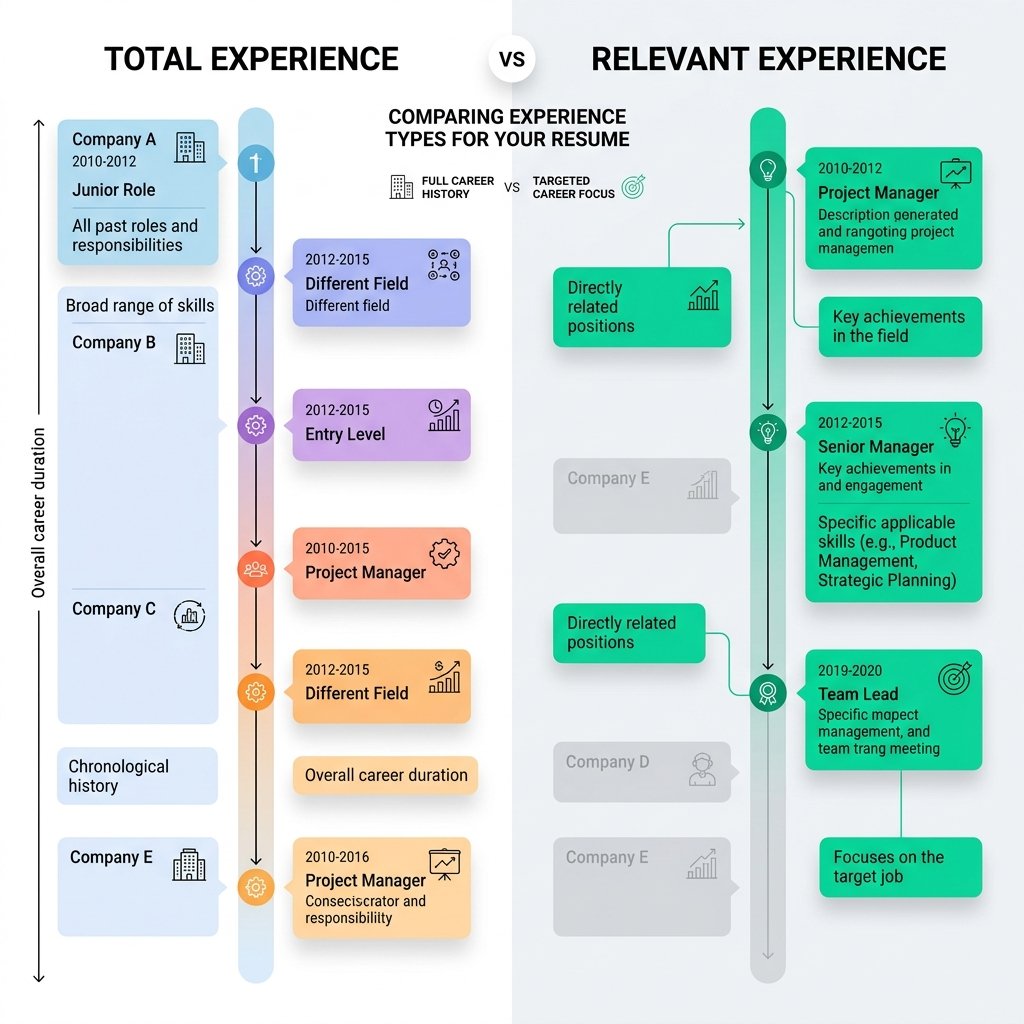
When applying for jobs on portals like Naukri, LinkedIn, Indeed, or Glassdoor, recruiters ask for two distinct figures:
- Total Experience (Overall Tenure): The cumulative duration of your entire professional employment across all roles and companies (e.g., 6 total years of working experience).
- Relevant Experience (Role-Specific Tenure): The portion of your career spent in job roles, skill sets, or technologies directly matching the advertised job position (e.g., out of 6 total years, 4 years specifically in React.js Development).
Why Accurate Work Experience Calculation Matters for Resumes & BGV
Background Verification (BGV) agencies (such as First Advantage, AuthBridge, and HireRight) cross-reference the dates on your relieving certificates with official Provident Fund (EPFO), UAN, or tax deposit records. Discrepancies caused by manual rounding up (e.g., claiming 3 years when your actual tenure was 2 years and 7 months) can flag your profile as high-risk. Using an exact years experience calculator prevents discrepancies completely.
Frequently Asked Questions (FAQ)
A multiple work experience calculator is a web utility that allows job seekers and HR professionals to calculate total career experience across multiple past employers, start dates, and relieving dates into combined years, months, and days.
In Microsoft Excel or Google Sheets, use the formula =DATEDIF(start_date, end_date, "Y") & " Yrs " & DATEDIF(start_date, end_date, "YM") & " Mos " & DATEDIF(start_date, end_date, "MD") & " Days" to calculate exact employment duration between two dates.
Total experience measures your entire career duration across all past roles and companies. Relevant experience includes only the time spent performing duties, skills, or roles directly related to the specific job position you are applying for.
Yes. For corporate HR verification, background checks, and official resumes, both your start date (joining date) and end date (relieving date) are inclusive (e.g., working Jan 1st to Jan 31st equals 31 complete working days).
Checking 'Currently Working Here' automatically sets your end date to Today's Date and updates your live work experience in real time without requiring manual date input.
Yes! Toolzeniq's calculator includes a Leave/Break Deduction field where you can enter unpaid leave days. The calculator automatically subtracts break days to output your exact Net Work Experience.
Many Corporate HR Applicant Tracking Systems (ATS) and payroll software require a single numerical figure. Decimal years (e.g. 4 years 6 months = 4.50 years) simplify salary band and seniority level calculations.
Yes, 100% free with zero registration, zero ads barrier, and unlimited calculation of job tenures across all devices.