Managing multiple separate PDF files can quickly become overwhelming. Whether you are dealing with fragmented project reports, separate invoice receipts, job application documents, or study chapters, handling multiple individual PDFs creates clutter and slows down your productivity. Merge PDF Online is a fast, web-based solution that combines multiple PDF files into one clean, well-organized document.
Instead of emailing multiple email attachments or printing dozens of separate pages, our online PDF merge tool allows you to join PDF online in seconds. With the Toolzeniq Merge PDF Tool, you eliminate document chaos effortlessly. Unlike other online tools that require software downloads, paid subscriptions, or email registration, Toolzeniq offers 100% free PDF merger processing directly inside your browser with complete privacy and zero quality loss.
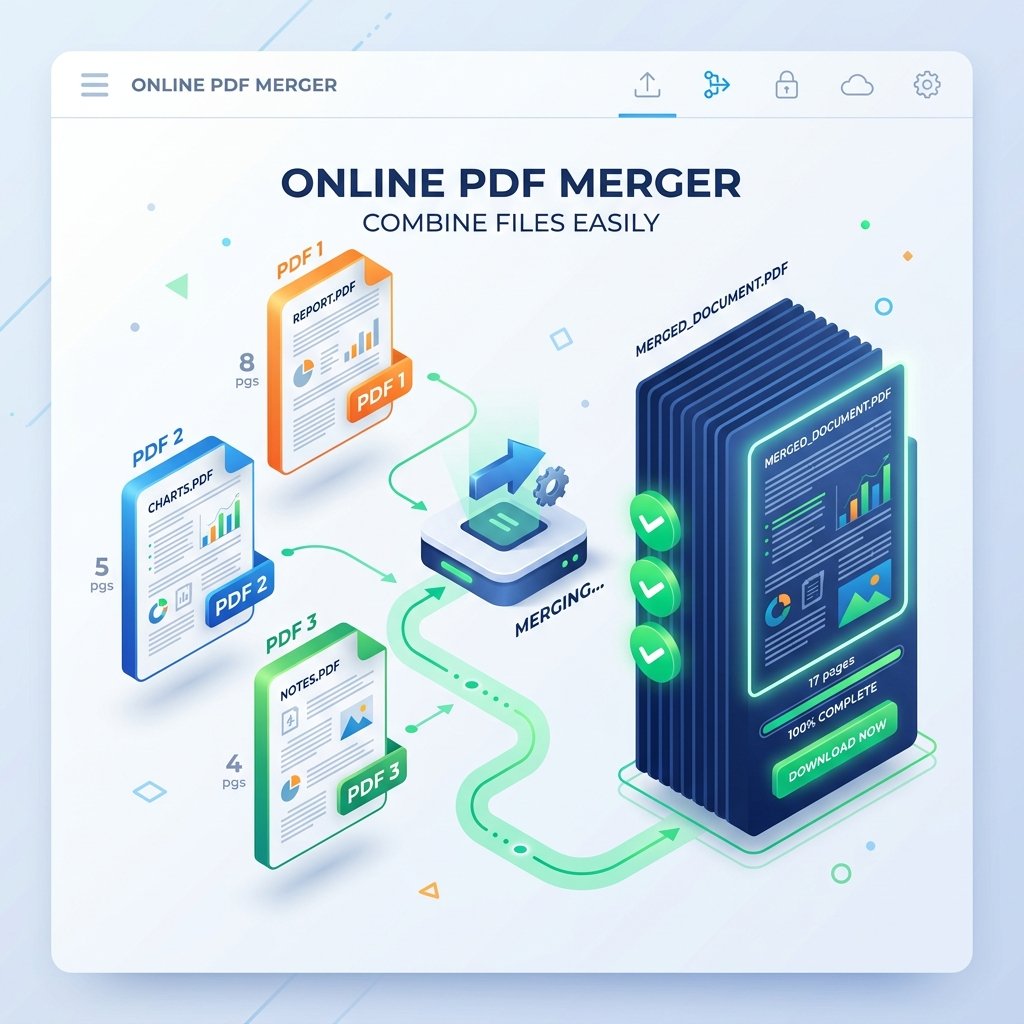
Figure 1: Visual workflow guide of combining multiple PDF files into one master document.
What is a Merge PDF Online Tool?
A Merge PDF Online tool is a web utility designed to combine two or more separate PDF documents into a single unified file. Instead of keeping documents fragmented, a PDF merger takes the pages of all uploaded files and sequences them into a continuous master document.
Whether you are a student compiling lecture notes, a professional consolidating financial reports, or a business sending client proposals, an online PDF merge tool streamlines document handling by reducing multiple file attachments to one clean file.
Why Merge PDF Files?
Combining PDFs into one document provides significant organizational and workflow advantages. Common real-world examples where you need to combine PDF files include:
- Multiple Invoices: Combine monthly billing receipts, client invoices, and tax statements for accountants.
- Resume & Cover Letter: Merge your resume, cover letter, portfolio samples, and reference letters into a single job application PDF.
- School & College Assignments: Join research pages, project reports, and bibliography sources into one assignment file.
- Bank Statements: Combine monthly financial statements for loan applications or visa processing.
- Legal Documents: Merge contracts, addendums, affidavits, and ID proofs for legal proceedings.
- Office Reports: Consolidate department slide decks, quarterly statistics, and executive summaries into one master presentation file.
- School Projects: Combine group project pages submitted by team members into a final submission document.
How to Merge PDF Online
Combining your PDF files using Toolzeniq takes only a few simple clicks:
- Upload PDFs: Drag and drop your PDF files into the upload box above or click Select PDF Files to choose documents from your computer or phone.
- Arrange Pages/Files: Use the
Move UpandMove Downbuttons to order your files. Enter page ranges or expand pages to rotate or exclude specific pages. - Click Merge: Click the green Merge PDF Files button to process your document instantly.
- Download Merged PDF: Click Download Merged PDF to save your newly combined PDF document immediately.
Features of Toolzeniq Merge PDF Tool
- Free to Use: 100% free PDF merger with zero hidden charges or premium paywalls.
- Fast Processing: Hardware-accelerated client-side engine merges PDFs in milliseconds.
- No Registration: No account signup, credit card details, or email required.
- Secure Client-Side Upload: Files process locally inside your browser; zero remote server storage.
- High-Quality Output: Merge PDF without losing quality, preserving vector fonts, links, and high-res images.
- Works on Mobile: Optimized touch-friendly interface for mobile web browsers.
- Cross-Platform Compatibility: Works smoothly on Windows, Mac, Linux, Android, and iPhone browsers.
Benefits of Merging PDF Files
- Easy Sharing: Send one file via email or WhatsApp instead of attaching 10 separate documents.
- Better Organization: Keep digital archives neat and well-structured.
- Save Time: Avoid opening multiple PDF windows to read related information.
- Reduce Confusion: Ensure recipient reads pages in your intended sequential order.
- Professional Document Management: Present a polished, unified document to clients, employers, or auditors.
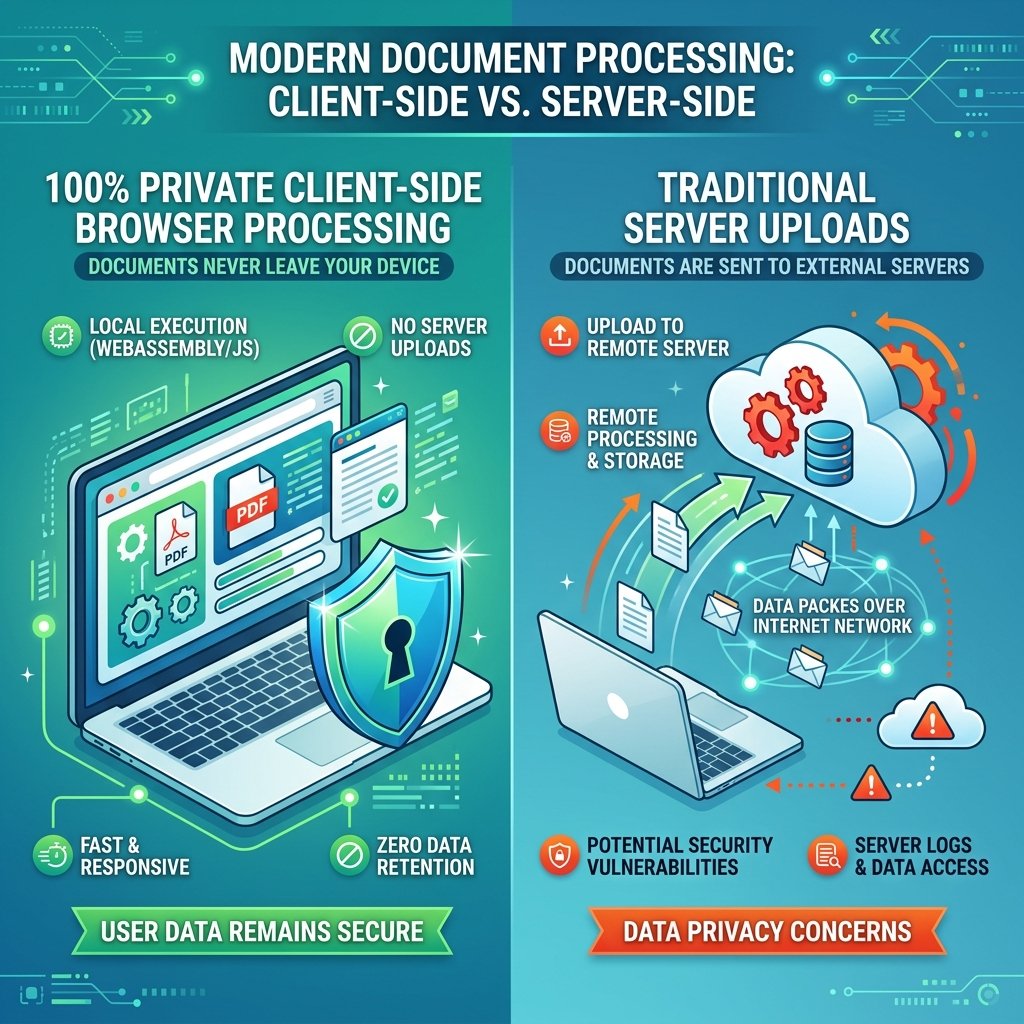
Figure 2: 100% Private Client-Side Browser Security — Your files are never uploaded to remote servers.
Is It Safe to Merge PDF Online?
Security and data privacy are paramount when handling personal or business documents. Many online PDF converters upload your files to external cloud servers, raising privacy risks for sensitive data like tax forms or bank statements.
Toolzeniq guarantees 100% document privacy:
- HTTPS Encryption: All connections are protected with secure SSL/TLS HTTPS protocols.
- Complete Browser Privacy (Client-Side Engine): Your PDF files are processed locally inside your web browser engine. Because your files are never uploaded to any server in the first place, there is zero risk of data leaks or server storage exposure!
- No Personal Data Collection: We do not track, read, log, or collect any personal information or document contents.
Merge PDF Online vs Desktop Software
Common Uses of PDF Merger
- Students: Consolidate notes, syllabus outlines, and project submissions into one PDF.
- Teachers: Combine test papers, answer keys, and study materials for students.
- HR Professionals: Merge candidate resumes, background checks, and offer letters into employee files.
- Lawyers & Legal Teams: Join case filings, evidence documents, and legal contracts into binder documents.
- Accountants & Auditors: Combine financial statements, audit reports, and tax filings.
- Government Applications: Merge identity proofs, address documents, and application forms.
- Freelancers & Agencies: Combine project proposals, design proofs, and client invoices.
Tips Before Merging PDFs
- Check Page Order: Double-check file and page sequence using Move Up/Down buttons before clicking merge.
- Remove Unnecessary Pages: Use custom page ranges (e.g. 1-5) or click Expand Pages to exclude unwanted pages.
- Rename Output File: Give your merged PDF a descriptive filename (e.g.,
Final_Project_Report.pdf). - Verify Document Quality: Ensure all input PDF documents are legible and not password-protected before merging.